8 Best Free AI Video Generators: Free Credits vs Open Source Tools
Compare 8 free AI video generators for text-to-video, image-to-video, credits, open-source downloads, tests, and PixVerse workflows.
A free AI video generator is worth using only if it lets you test the real workflow: text-to-video, image-to-video, export quality, watermark rules, queue speed, commercial-use terms, and retry cost. In 2026, the best free path for most creators is an online tool with free credits, while open-source AI video generators are better for developers who have GPU time, patience, and local setup experience.
This guide compares four online free-credit tools and four free open-source or open-weight tools. We checked current official pricing pages, public documentation, GitHub repositories, and community discussions, then added our own first-person workflow notes from PixVerse editorial testing. The goal is simple: help you choose a free text-to-video AI generator or free image-to-video AI generator without pretending that “free” means unlimited production.
For a broader paid-and-free market comparison, see our best AI video generators guide. For focused input workflows, compare our text-to-video AI generator guide and image-to-video AI tool guide.
Free AI Video Generator Quick Navigation
Use these jump links if you already know which free workflow you need:
- Free AI video generator quick comparison
- Free AI text-to-video generator picks
- Free AI image-to-video generator picks
- Open-source AI video generator options
- AI video generator free online checklist
- Free AI video generator FAQ
Free AI Video Generator Quick Comparison
“Free” means different things across the AI video market. Some tools give monthly or one-time credits, some give daily credits, and some give downloadable code and model weights while leaving the compute bill to you.
| Tool | Type | Best for | Free policy to check first | URL or download |
|---|---|---|---|---|
| PixVerse | Online free-credit platform | One-stop text-to-video and image-to-video testing | Daily free credits for registered users; exact account balance and campaign bonuses can vary, and V6 credit use is billed per second | PixVerse app |
| Runway | Online free-credit platform | Filmmaking control and generative editing | Free plan includes a one-time 125-credit deposit; Runway lists Gen-4.5 at 60 credits per 5-second video | Runway pricing |
| Pika | Online free-credit platform | Stylized social videos and effects | Basic plan includes 80 monthly video credits; 480p 5-second text-to-video and image-to-video with Pika 2.5 costs 12 credits | Pika pricing |
| Leonardo.Ai | Online free-token platform | Daily creative motion experiments | Free plan includes 150 fast tokens per day and lists video generation access on the free tier | Leonardo.Ai pricing |
| Wan2.1 | Open-source/open-weight | Local text-to-video and image-to-video with broad task support | Free to download and run; compute, storage, and GPU time are your cost | Wan2.1 GitHub |
| LTX-Video | Open-source/open-weight | Fast local iteration and ComfyUI workflows | Free to download and run; best results currently route through the recommended ComfyUI workflow | LTX-Video GitHub |
| Open-Sora | Open-source | Research-grade text-to-video and image-to-video experiments | Apache-2.0 project with downloadable code and checkpoints; local inference still needs GPU setup | Open-Sora GitHub |
| CogVideoX | Open-source/open-weight | Free Colab-friendly text-to-video and image-to-video starts | Free repo and Colab notebooks; quantized 5B text-to-video Colab can take about 30 minutes per run | CogVideoX GitHub |
Free AI Text-to-Video Generator Picks
For a free AI text-to-video generator, start with PixVerse if you want prompt-to-video, references, native audio, editing, and model choice in one workspace. Use Runway when the prompt needs camera direction, Pika when the goal is stylized social motion, and Open-Sora or Wan2.1 when local control matters more than browser convenience.
Free AI Image-to-Video Generator Picks
For a free AI image-to-video generator, start with PixVerse when the source image needs product, character, or scene continuity. Use Pika for playful image effects, Runway for directed motion around an image, and CogVideoX or Wan2.1 when you want an open local or notebook-based path.
Open-Source AI Video Generator Options
Wan2.1, LTX-Video, Open-Sora, and CogVideoX are the strongest open-source options in this shortlist. They are free to download, but the real cost is GPU time, setup, storage, and troubleshooting.
AI Video Generator Free Online Checklist
Before choosing an AI video generator free online, use this checklist to avoid spending your first free credits on the wrong workflow.
| What to check | Why it matters | Practical rule |
|---|---|---|
| Free allowance | Free credits decide how many real retries you get before paying. | Check the in-app credit balance and plan page before generating; treat one-time credits as a test budget, not a production plan. |
| Input workflow | Text-to-video and image-to-video solve different jobs. | Use text-to-video for prompt concepts, image-to-video for products, characters, photos, and visual continuity. |
| Watermark and commercial use | A clip is only useful if you can publish it under the plan terms. | Confirm watermark, export quality, commercial-use rights, and current plan limits before publishing. |
| Credit cost per clip | Duration, resolution, audio, and model choice can change the real free limit. | Estimate tests before generating: Runway’s 125 credits cover about two 5-second Gen-4.5 tests; Pika’s 80 monthly credits cover about six 480p 5-second Pika 2.5 tests. |
| Browser vs local setup | Hosted tools are faster to start; open-source tools trade convenience for control. | Choose hosted free-credit tools for speed, support, and export reliability; choose open source for local control and technical experiments. |
| Support and stability | Daily production needs more than a model demo. | Favor platforms with visible status, product updates, help resources, predictable exports, and editing tools in the same workspace. |
How We Tested Free AI Video Generators
We scored the shortlist on five reader-visible checks: free policy clarity, supported inputs, output limits, workflow friction, and evidence from first-party tests or public docs.
Hosted tools were judged by creator experience and prior PixVerse editorial tests. Open-source tools were judged by repo docs, model downloads, install path, hardware notes, and GitHub/community feedback. Community notes come from public Reddit and GitHub signals, so we use them as directional feedback rather than statistical proof.
PixVerse Free AI Video Generator: Best One-Stop Text-to-Video and Image-to-Video Start
PixVerse is the strongest first test if you want one workspace for text-to-video, image-to-video, AI templates, transitions, reference-to-video, native audio, editing, and multi-model exploration. The PixVerse V6 docs list text-to-video, image-to-video, first-and-last-frame transitions, video extension, reference-to-video, 1-15 second duration, 360p to 1080p quality options, and audio controls. The PixVerse pricing docs also show V6 credit use by second: for example, 720p without audio uses 9 credits per second and 720p with audio uses 12 credits per second.
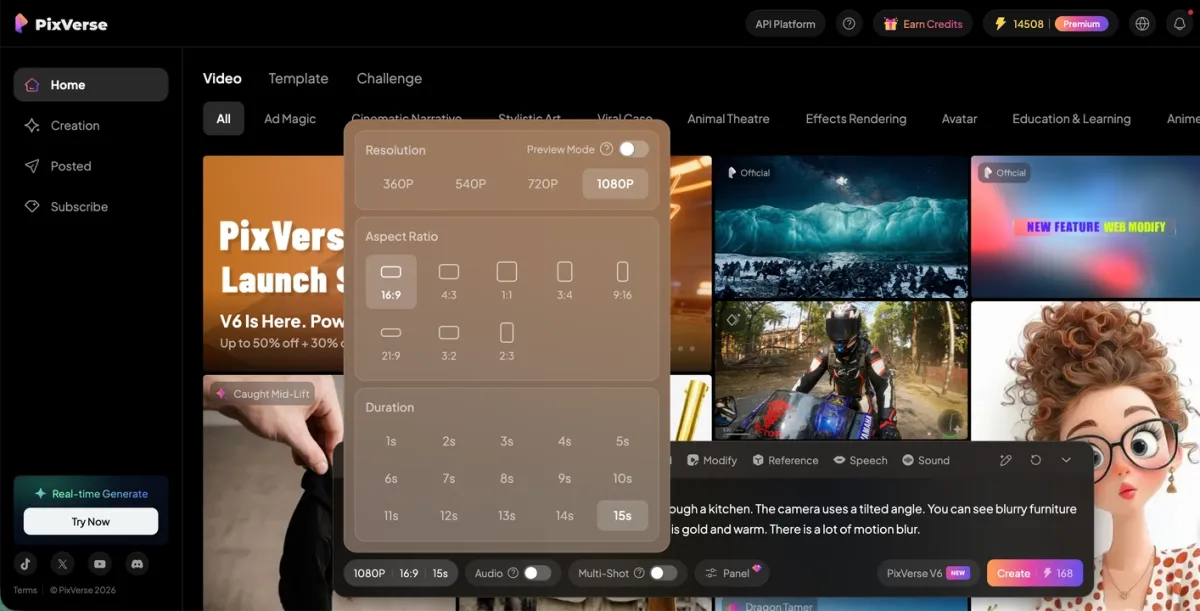
Free policy: PixVerse provides a free starting path through registered accounts and daily free credits. The exact balance, campaign bonuses, and eligible models can vary by account, region, and product route, so check the credit balance shown in the app before generating. The important advantage is transparency at generation time: creators can see how credits map to duration, resolution, audio, and model choice before committing a final render.
What we found: In our Cyber Bee video tests, PixVerse V6 kept spatial relationships tight. Fisheye distortion stayed coherent around appliances, and the move from a wide kitchen view to a tight honey-jar macro felt continuous. We also liked that PixVerse felt more like a production workspace than a single prompt box: when a text prompt was not enough, we could move into image-to-video, reference, transition, extension, or editing paths without changing tools.
Community feedback signal: Public AI video discussions often frame the free-generator problem as a trade-off between limited online credits and more technical local generation. That maps well to PixVerse: it is not trying to be “unlimited free compute”, but it does reduce the setup burden for creators who want to test real text-to-video and image-to-video outputs before paying. Community search behavior around PixVerse also clusters with “image to video”, “free AI tools”, and “all major video models”, which is a sign that users are comparing workflow breadth as much as raw model quality.
Pros:
- Strong coverage of both free text-to-video AI generator and free image-to-video AI generator intent.
- One-stop workflow for prompts, images, references, templates, audio, editing, and model exploration.
- Clear public V6 credit math by duration, resolution, and audio setting.
- Better fit for creators who need repeatable iteration rather than a single novelty output.
Cons:
- Free daily credit amount can vary, so the app dashboard is the source to check before planning volume.
- High-resolution, audio-enabled, or longer clips spend credits faster than low-resolution tests.
Best fit: Start with PixVerse if you want a practical free AI video generator online, especially for short creator videos, product motion tests, social concepts, character references, and multi-shot experiments.
Runway Free AI Video Generator: Best for Filmmaking Control
Runway is a good free-credit test when your main need is directorial control. Its pricing page says the Free plan includes a one-time 125-credit deposit that does not expire, and the same page lists Gen-4.5 at 60 credits per 5-second video. That makes the free tier useful for evaluating the workflow, but not for high-volume production.
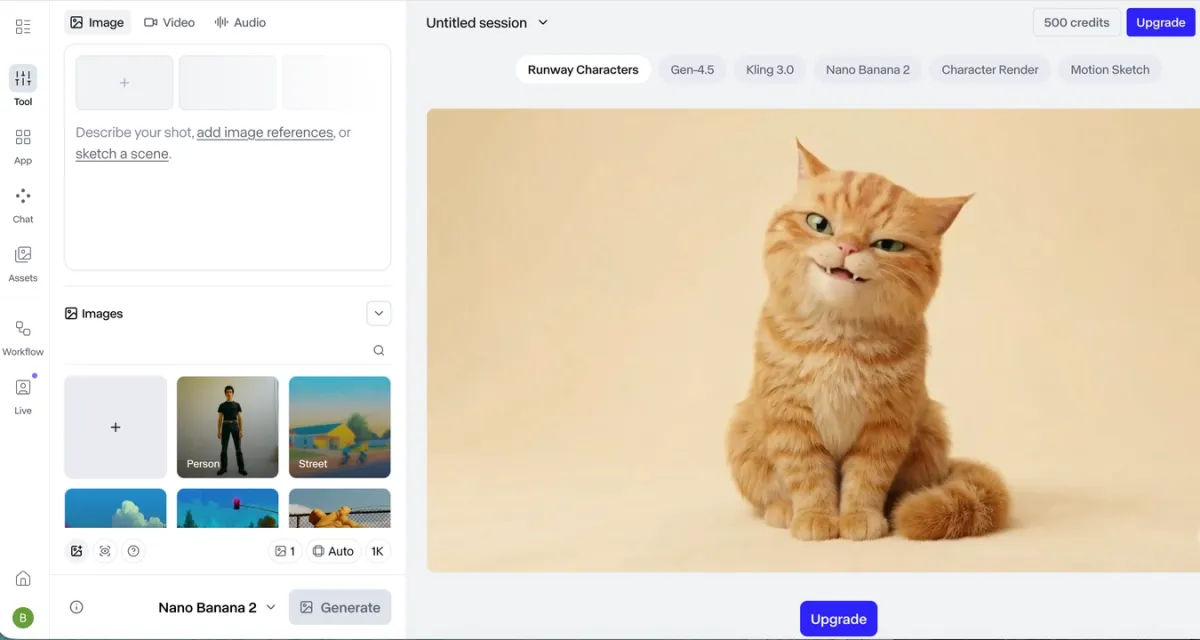
Free policy: 125 one-time credits on the Free plan. As a practical example, if a 5-second Gen-4.5 generation uses 60 credits, the free deposit is enough for a small number of serious tests rather than a full campaign.
What we found: Runway handled cinematic language well in our tests. Close-ups, lens cues, and camera movement felt intentional. It was less beginner-friendly than PixVerse or Pika, but the extra control mattered when we wanted a shot to feel directed rather than merely generated.
Community feedback signal: Reddit discussion around Runway tends to be polarized in a useful way. Positive comments focus on cinematic output, strong models, editing tools, and coherent shots; negative comments often mention cost, speed, prompt-following misses, and temporal consistency. The practical lesson is to use Runway’s free credits on one or two carefully written shot tests, not on loose prompt exploration.
Pros:
- Strong toolset for filmmakers, editors, and shot-by-shot direction.
- Useful for image-to-video, generative editing, and controlled motion tests.
- Free credits do not expire, which helps users test at their own pace.
Cons:
- Free credits are too limited for volume work.
- The learning curve is steeper than simpler social-video tools.
Best fit: Choose Runway if you already think in scenes, lenses, camera moves, and editing decisions.
Pika Free AI Video Generator: Best for Stylized Social Clips
Pika is strongest when you want stylized, social-friendly clips rather than strict realism. Pika’s pricing page lists a Basic free plan with 80 monthly video credits, access to Pika 2.5 at 480p, no-watermark downloads, and commercial use. It also lists 480p 5-second text-to-video and image-to-video with Pika 2.5 at 12 credits.
Free policy: 80 monthly video credits on the Basic plan. A 480p 5-second Pika 2.5 text-to-video or image-to-video generation is listed at 12 credits, so the free tier can support a small set of monthly tests if you keep settings modest.
What we found: Pika was easiest to enjoy when we treated it as a social-effect tool, not a realism benchmark. In our testing, it turned a fast bee prompt into a polished animated sequence with stable design and smooth motion. We would use it for stylized clips, playful effects, and fast visual drafts before using a more controlled tool for product-sensitive work.
Community feedback signal: Pika shows up often in social-video and alternatives discussions because users associate it with creative effects and accessibility. The common caution is that free credits disappear quickly when users chase the perfect version. Our recommendation is to test a narrow style direction first, then spend credits on variations only after the motion language is working.
Pros:
- Clear monthly free-credit policy.
- Good for stylized image-to-video, animation, and social effects.
- No-watermark download and commercial-use language on the Basic plan are valuable for testing.
Cons:
- Free 480p output is better for testing than polished final delivery.
- Not the first choice for grounded product realism or strict physical motion.
Best fit: Choose Pika for TikTok, Shorts, Reels, character effects, stylized loops, and fast social concepting.
Leonardo.Ai Free AI Video Generator: Best Daily Token Motion Test
Leonardo.Ai is broader than a pure AI video generator, but it belongs in a free-video shortlist because its pricing page lists image, video, design, and motion creation across the platform. The Free plan lists 150 fast tokens per day, a 150-token bank, public creations, basic quality settings, and video generation access in the feature matrix.
Free policy: 150 fast tokens per day on the Free plan. Video generation is available on the free tier, but relaxed video generation is reserved for higher plans, and token costs can vary by model and setting.
What we found: In our workflow review, Leonardo.Ai felt more like a daily creative test bench than a dedicated cinematic video platform. The free-token structure is friendly for regular exploration, especially when a creator is already moving between image generation, style development, and motion. For serious text-to-video or image-to-video comparison, we would still pair it with PixVerse, Runway, or Pika because those tools make the video-specific credit math easier to evaluate.
Community feedback signal: Community conversations around free AI creation tools often reward platforms that let people test every day without committing to a subscription. Leonardo.Ai fits that habit, but the same discussions also show a recurring frustration: multi-purpose creative platforms can make it harder to predict exact video cost until you are inside a specific model or workflow.
Pros:
- Daily free-token policy is clearer than vague trial access.
- Useful if your video workflow starts with image generation or style exploration.
- Good for casual motion testing before committing to a specialized video tool.
Cons:
- Not as video-focused as PixVerse, Runway, or Pika.
- Free creations are public, and advanced video capacity is more limited.
Best fit: Choose Leonardo.Ai if you want daily creative exploration across images, design, and motion, not just standalone video generation.
Wan2.1 Open Source AI Video Generator: Best for Local Control
Wan2.1 is one of the most practical open-source-style options for people who want to run AI video locally. The GitHub repository describes support for text-to-video, image-to-video, video editing, text-to-image, and video-to-audio. It also says the T2V-1.3B model requires 8.19 GB VRAM and can generate a 5-second 480p video on an RTX 4090 in about 4 minutes without optimization.
Free policy: Free to download and run from GitHub and model hosts such as Hugging Face or ModelScope. Your real cost is hardware, electricity, local storage, and setup time.
What we found: In our open-source workflow review, Wan2.1 was the first option we would inspect when someone says, “I do not want another subscription.” The 1.3B text-to-video path makes local experimentation more approachable than very large video models, and the project covers both text-to-video and image-to-video. The trade-off is obvious: a browser tool hides infrastructure, while Wan makes you own it.
Community feedback signal: Reddit and open-source community discussions often point free-minded users toward local Wan-based workflows, especially when they want image-to-video without a SaaS paywall. The same discussions usually add a hardware caveat. That matches the repository: Wan is approachable by open-source video standards, but it is still not as easy as opening a web app.
Pros:
- Strong open-source starting point for local text-to-video and image-to-video.
- Published VRAM and runtime guidance make planning easier.
- Active ecosystem with DiffSynth, ComfyUI, acceleration, and workflow integrations.
Cons:
- Requires local environment setup and GPU planning.
- Higher-quality models and resolutions raise the hardware burden.
Best fit: Choose Wan2.1 if you want free local control and can handle Python, model downloads, and GPU troubleshooting.
LTX-Video Open Source AI Video Generator: Best for Fast Local Iteration
LTX-Video is useful for creators and developers who want local image-to-video workflows and faster iteration options. The repository lists 13B and 2B variants, distilled models, FP8 variants, online inference links, and a local setup path. It also says the project was tested with Python 3.10.5, CUDA 12.2, and PyTorch 2.1.2 or newer, while macOS MPS support has also been tested.
Free policy: Free to download and run locally, with optional third-party online inference routes. Local usage still depends on your hardware and the license terms of the specific checkpoint you use.
What we found: In our workflow review, LTX-Video stood out as the open-source entry to test when iteration speed matters. The repository itself recommends the ComfyUI workflow for best results and notes that the basic inference script may not match ComfyUI quality yet. That is valuable honesty: LTX can be powerful, but the best path is a workflow stack, not just one command.
Community feedback signal: GitHub and ComfyUI communities are a natural home for LTX-Video because users want node-based control, quantized checkpoints, and faster iteration. The feedback pattern is technical rather than casual: people discuss workflows, kernels, model variants, and fidelity, which is exactly the kind of environment where open-source tools shine.
Pros:
- Good local iteration options, including distilled and FP8 variants.
- Strong fit for ComfyUI users.
- Supports text-to-video and image-to-video generation paths.
Cons:
- Best results may require ComfyUI and workflow tuning.
- Not a beginner-friendly replacement for a hosted free-credit tool.
Best fit: Choose LTX-Video if you already work in ComfyUI or want faster local experimentation.
Open-Sora Open Source AI Video Generator: Best for Research
Open-Sora is a fully open-source project for video generation, with an Apache-2.0 license and downloadable code. The repository describes Open-Sora 2.0, notes that both text-to-video and image-to-video are supported by one model, and provides commands for 256px and 768px inference. It is more research-oriented than a consumer tool, but that is exactly why it belongs in a free open-source shortlist.
Free policy: Free code and checkpoints through GitHub and model hosts. The user supplies compute, environment setup, and storage.
What we found: In our repository and setup review, Open-Sora was the best pick for researchers, technical marketers, and developers who want to understand how open video generation pipelines work. We would not send a casual social creator here first. We would send someone here if they care about Apache-2.0 licensing, reproducible research, training or finetuning, and direct access to the generation stack.
Community feedback signal: Open-Sora has strong GitHub visibility and a research-heavy audience. Its community value is less about “one-click beautiful clips” and more about openness: checkpoints, training details, inference scripts, reports, and a path for people who want to study or extend the system.
Pros:
- Apache-2.0 project with strong open-source positioning.
- Supports text-to-video and image-to-video workflows.
- Good for learning, research, and controlled experimentation.
Cons:
- Setup is technical.
- Output quality and speed depend heavily on hardware, configuration, and workflow maturity.
Best fit: Choose Open-Sora if your priority is open research and direct pipeline access.
CogVideoX Open Source AI Video Generator: Best Colab-Friendly Start
CogVideoX is a practical open-source option if you want a guided path into text-to-video or image-to-video without immediately building a full local workstation. The repository includes quick-start Colab notebooks for CogVideoX-5B text-to-video, quantized text-to-video, image-to-video, and video-to-video. It notes that the quantized text-to-video Colab can take about 30 minutes per run.
Free policy: Free code and notebooks, with Colab as an accessible starting route. Compute may still be limited by free Colab availability, session limits, and hardware allocation.
What we found: In our workflow review, CogVideoX was the open-source tool we would recommend to someone who wants to learn by running a notebook. The Colab route reduces setup friction, but it does not feel like a hosted creative app. A 30-minute run is fine for learning; it is not fine for a daily social content schedule.
Community feedback signal: CogVideoX has a broad developer ecosystem around ControlNet, interpolation, DiffSynth, fine-tuning, Gradio demos, and related community projects. That tells us it is valuable as a development base, not just a single model download.
Pros:
- Colab notebooks make the first run more accessible.
- Covers text-to-video, image-to-video, and video-to-video paths.
- Strong ecosystem for developers who want to build or finetune.
Cons:
- Free Colab is not guaranteed production infrastructure.
- Quantized runs can be slow, and output review cycles are much longer than hosted tools.
Best fit: Choose CogVideoX if you want a free notebook-based route into open-source AI video.
Free-Credit Platforms vs Open-Source AI Video Generators
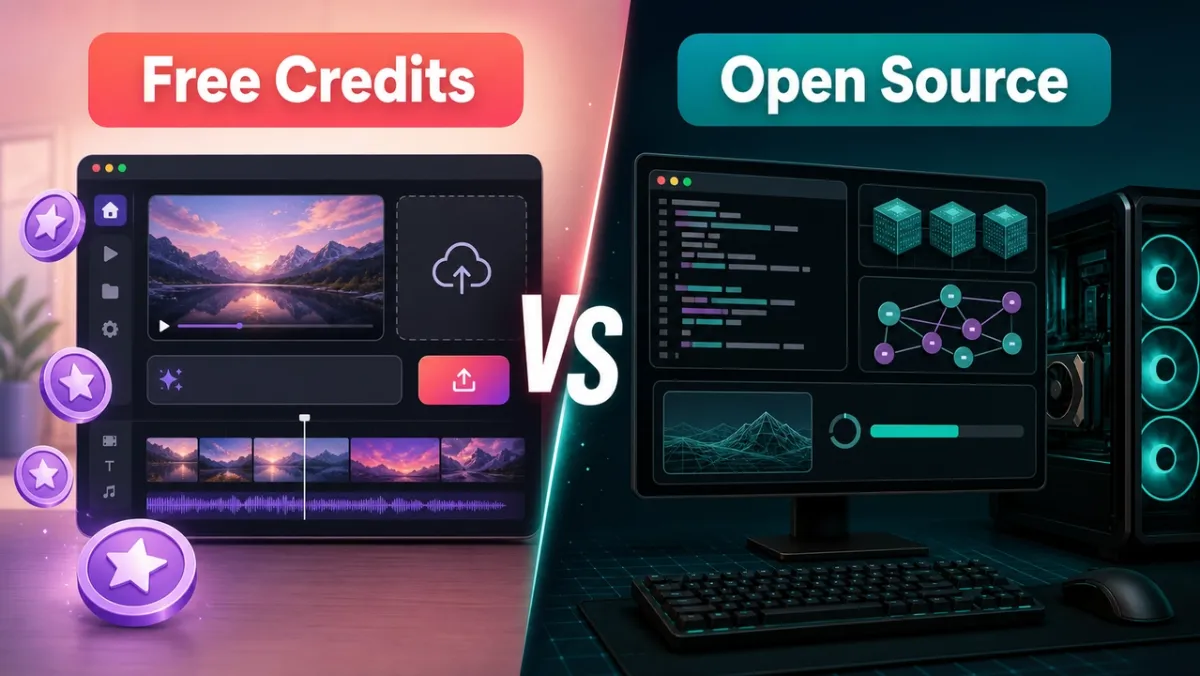
The simplest decision is this: use free-credit platforms when you want to create, compare, and publish faster; use open-source tools when you need local control, research access, custom pipelines, or subscription avoidance.
| Decision point | Free-credit platforms | Open-source tools |
|---|---|---|
| Setup | Sign in and generate | Install Python, CUDA or MPS support, dependencies, model weights, and workflow tools |
| Real cost | Credits, paid upgrades, or subscription after free use | GPU, electricity, storage, time, cloud notebooks, and troubleshooting |
| Support | Platform help, product updates, status, and billing support | GitHub issues, community Discords, docs, and self-support |
| Stability | Hosted queues and managed infrastructure | Depends on your hardware, drivers, environment, and model files |
| Workflow | One-stop tools for upload, prompt, generate, edit, export, and model switching | Flexible but fragmented across repos, checkpoints, ComfyUI, scripts, and notebooks |
| Best user | Creators, marketers, small teams, agencies, and social teams | Developers, researchers, technical creators, and teams with GPU resources |
Open-source AI video generators are valuable, but their limitations are real. You may need a capable NVIDIA GPU, large model downloads, enough VRAM, compatible drivers, dependency fixes, and a tolerance for slower render cycles. You also need to read licenses carefully. A model can be free to download while still having restrictions around commercial use, regions, hosted services, acceptable use, or derivative models.
That is why we still recommend hosted free-credit tools for most readers. PixVerse, Runway, Pika, and Leonardo.Ai let you learn the creative shape of AI video before you invest in hardware or paid volume. For daily production, the value is not only the model. It is support, platform stability, reliable exports, one-stop editing, and the ability to test multiple AI video generator workflows without maintaining your own stack.
Which Free AI Video Generator Should You Choose?
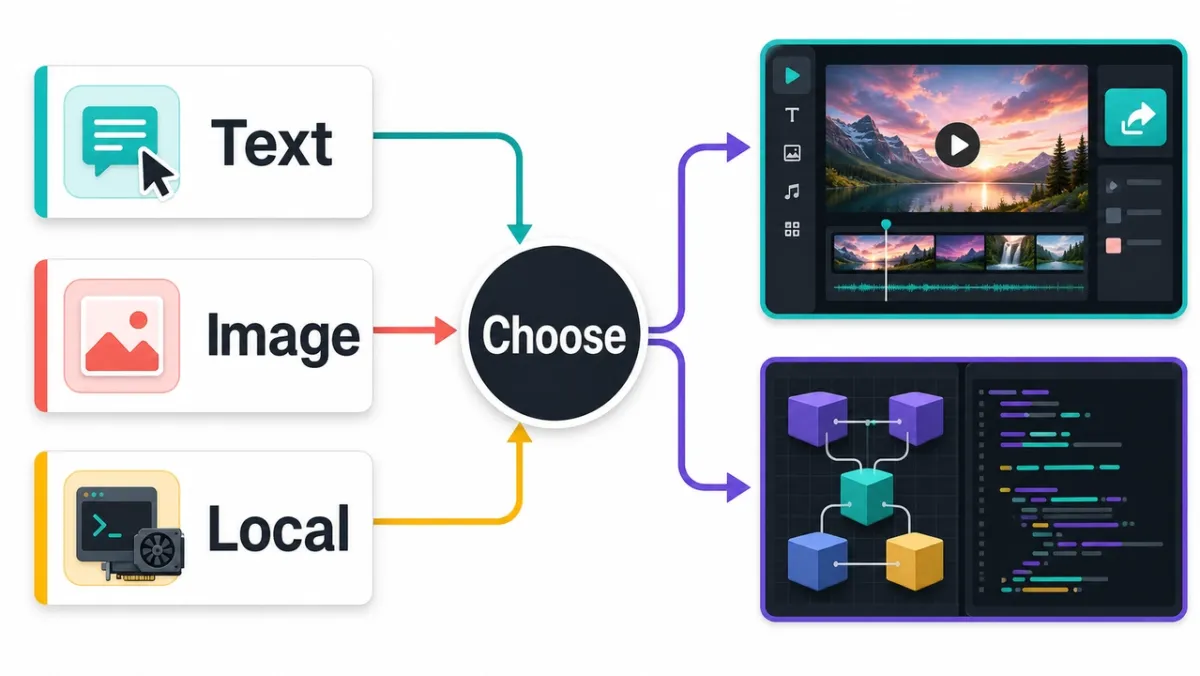
Choose PixVerse first if you want one online workspace for text-to-video, image-to-video, templates, audio, transitions, references, editing, and model exploration. It is the best default for creators who need to compare workflows before picking a paid path.
Choose Runway if your free test needs filmmaking control, directed camera movement, generative editing, or a more professional editing environment.
Choose Pika if you want stylized social clips, playful image-to-video effects, and monthly free credits that are easy to understand.
Choose Leonardo.Ai if you want daily free-token exploration across image, design, and motion rather than a video-only workspace.
Choose Wan2.1 if you want the strongest local open-source starting point for text-to-video and image-to-video.
Choose LTX-Video if you already like ComfyUI, distilled models, and faster local iteration.
Choose Open-Sora if you want an Apache-2.0 research project with open code, reports, checkpoints, and text-to-video plus image-to-video paths.
Choose CogVideoX if you want a free Colab-friendly way to learn open-source AI video without immediately setting up a local GPU workstation.
Free AI Video Generator FAQ
What is the best free AI video generator in 2026?
The best free AI video generator for most creators is an online free-credit platform rather than a local open-source model. PixVerse is the best first test when you want text-to-video, image-to-video, templates, native audio, editing, and multiple AI video workflows in one place.
Can I put “free text to video AI generator” and “free image to video AI generator” in the same article?
Yes. These keywords can live in the same article when the page is a tool comparison or buyer guide. Users searching both terms usually want the same decision support: free access, credit limits, output quality, image upload support, prompt control, watermark rules, and export rights.
Are open-source AI video generators really free?
Open-source AI video generators are free to download and run, but they are not cost-free to operate. You still pay with GPU hardware, cloud compute, electricity, storage, setup time, and troubleshooting. Beginners can try Colab notebooks, but most creators should start with hosted free-credit tools first.
Which free AI video generator is best for text-to-video and image-to-video?
PixVerse is the strongest default for both workflows because it combines prompt-to-video, image upload, references, templates, editing, and credit-based generation in one workspace. Runway is better for directed cinematic control, Pika is better for stylized clips, and Wan2.1 or CogVideoX are better for technical local tests.
Which free AI video generator has no watermark?
Pika’s Basic pricing page lists no-watermark downloads, but always check the current plan terms before publishing. Other tools may remove watermarks only on paid tiers, restrict commercial use, or limit export quality on free plans.
Should beginners choose online free credits or open source?
Beginners should start with online free credits. Hosted platforms remove the hardest parts: installation, GPU drivers, model downloads, workflow wiring, output management, and support. Use open source later if you need local control, research access, or custom pipelines.
Final Recommendation: Free AI Video Generator Online vs Open Source
If you only need a few experiments, free credits are the fastest and most realistic way to evaluate AI video quality. Start with PixVerse for a one-stop free AI video generator online, then compare Runway for filmmaking control, Pika for stylized social output, and Leonardo.Ai for daily creative tokens.
Use open-source AI video generators when you need deeper control, local privacy, research access, or custom pipelines. They are valuable, but they are not the easiest path for most creators. For everyday production, a free-credit platform is usually the better first step because it gives you support, stability, predictable exports, and multiple AI video generator workflows without making you maintain the infrastructure yourself.